


Audio Editor & Music Editor
4.53.01K Reviews
App Specs
- Version
- 2.01.62.0731
- Updated On
- License
- Free
- Downloads
- 50,000,000+
- Developer
- Dairy App & Notes & Audio Editor & Voice Recorder
- Categories
- Music & Audio
- Platform
- Android, iOS
Screenshots
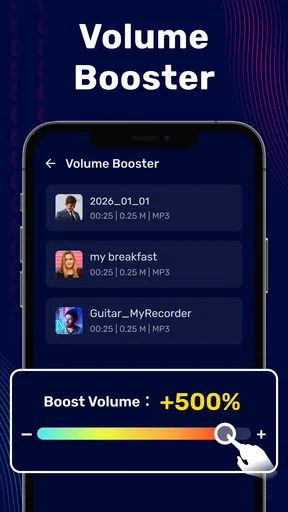
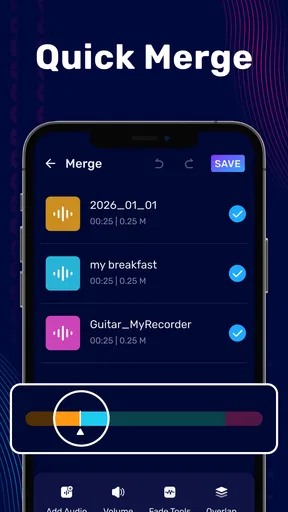
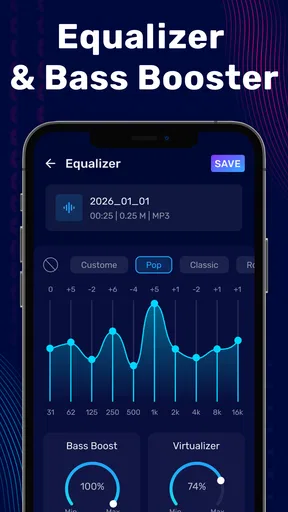
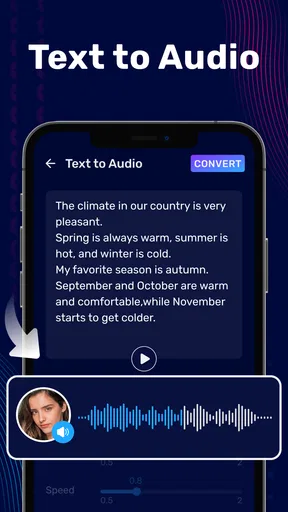
 Analysis by AppCompare
I usually reach for a phone audio editor when I need one clear job done quickly: remove an awkward pause, keep the useful part of a recording, or join two clips without opening a desktop program. Audio Editor & Music Editor is built around that kind of hands-on editing, with trimming and combining clips at the center of its appeal. It is a free music and audio app from Dairy App & Notes & Audio Editor & Voice Recorder, and its broad toolset makes it more interesting than a single-purpose cutter—though it still suits quick, practical work better than a full production setup.
Why editing the clip matters more than having a long feature list
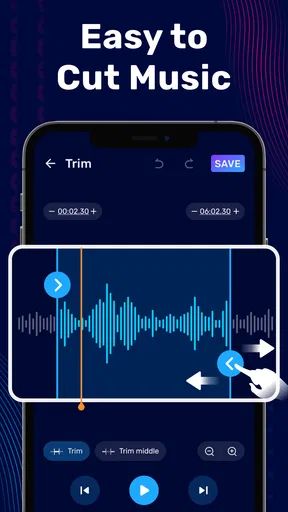
The most useful thing about an audio editor on a phone is control over the exact beginning and ending of a sound. A voice memo may have a pocket shuffle before the first word; a song excerpt may start a beat too early; a recording may continue long after the part worth keeping. Trimming lets me turn those messy source files into something easier to replay, send, or reuse.
That small cleanup can make a noticeable difference in everyday situations. A short clip is simpler to share with a friend, easier to find again among recordings, and less likely to include irrelevant chatter. I would not mistake trimming for restoration or professional mastering, but it is often the step that makes an ordinary recording usable.
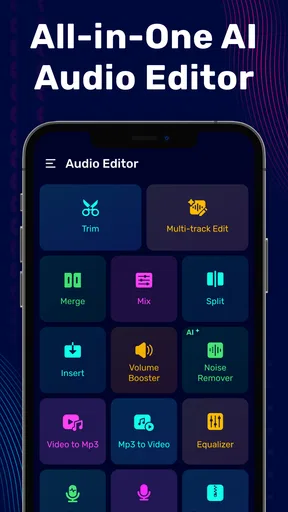
The app also brings together cutting, copying, pasting, pitch and speed adjustments, and merging audio. Those tools give a casual editor room to move beyond simply shortening a file. For example, I can keep a useful section, change its pace for a rough creative experiment, then join it to another piece. The attraction is not that every edit becomes polished; it is that these basic transformations are available in one mobile workspace.
A practical workflow for getting a clean result
I would start by importing or opening the recording I actually want to edit, then listen through before touching the cut points. That first pass matters: choosing a boundary by looking at a waveform or scrubbing quickly can leave the first syllable clipped or preserve an unwanted breath. Listening around the intended start and finish helps me make a more deliberate selection.
For spoken audio, I would leave a little breathing room at the edges rather than cutting right against the first and last words. A cut that looks tidy can sound abrupt when played back. I also recommend checking the edit from a few seconds before the boundary, not just listening to the isolated selection; the transition is where a rushed trim is easiest to notice.
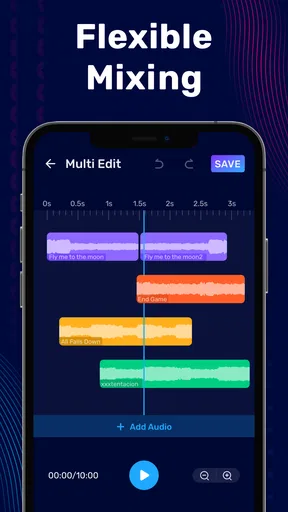
When I want to make a medley or combine separate recordings, I would save a clean working copy before experimenting. That gives me a way back if the order or cut points do not feel right. The same caution applies to pitch and speed: make one change at a time and listen again, because a dramatic adjustment can make a familiar voice or song sound unnatural. Treat these controls as creative choices rather than automatic improvements.
Worth Reading Before You Choose

Flipboard Shows What News Apps Must Do Beyond the Feed

Switching to Android Auto Means Rethinking Your Driving Routine

Google Calendar Makes a Crowded Week Easier to Manage

Ludo King Makes the Most of the Minutes Between Plans

Baby Panda World Brings Quick Play to Modern Phones, but Its Game Library Feels Busy

ESPN’s Live Game View Makes Following Close Games Easier
Where the mobile format earns its place
A realistic use case is recording a quick idea while away from a computer. I might capture a melody before forgetting it, trim the silence at the start, keep the clearest take, and join it to another fragment later. For a family voice message or a short spoken note, I could similarly remove dead air before sharing the part that matters. These are modest edits, but doing them on the same device that holds the recording saves a round trip through another tool.
It is also a reasonable fit for someone learning what audio editing involves. Cutting and joining clips are approachable first steps, while pitch and speed changes invite experimentation without requiring a complicated desktop timeline. I would use it to test an idea or prepare a simple excerpt, then move to a more specialized program if I needed detailed multitrack arrangement, precise mixing decisions, or a repeatable production workflow.
Compared with a basic voice recorder, an editor gives me more control after capture: I can shape the clip instead of accepting the recording as-is. Compared with a desktop digital audio workstation, a phone app is easier to pick up for a quick repair but is not the environment I would choose for intricate sessions. The trade-off is convenience against depth. For a small, clearly defined edit, convenience often wins; for a project with many layers and fine-grained requirements, a desktop tool is the better choice.
What to keep in mind before choosing it
The app’s range can be a plus, but it also means a first-time user should focus on one task instead of trying every control at once. Start with a short copy of a recording, make a trim, and play the result through before exploring more involved edits. That approach reduces the chance of losing the version you preferred and makes it easier to hear what each adjustment actually changes.
I would not choose a mobile editor on the assumption that every source will sound cleaner after editing. Trimming can remove unwanted sections, but it cannot make a noisy recording pristine simply by cutting it. Likewise, merging files is useful for arranging material, yet the joins still need careful listening. If you are preparing a release that depends on exact loudness, complex layering, or meticulous sound treatment, use a dedicated production tool and check the final result there.
The app is free to install, with optional in-app purchases listed from around $1.49 to $49.99 per item. Its Everyone age rating makes it suitable for a broad audience, while the current version is 2.01.46.0209 and it requires Android 7.0 or later. It has an average rating of 4.4 from around 429,000 ratings, with over 10 million installs. Those figures suggest it has found a substantial audience, but they are not a substitute for deciding whether its editing style suits your own needs.
Getting Started with Audio Magic
When I first downloaded the Audio Editor & Music Editor, I was curious about how much it could actually do. The app kicked things off with a clean interface, making it super easy to dive right in. I was greeted with a host of options, from trimming audio clips to mixing tracks.
Features That Hit the Right Note
The app is packed with features that cater to both simple edits and more complex audio manipulations. You can cut, copy, and paste audio segments with ease. For those who want to dive deeper, there are options to adjust pitch and speed. It's amazing how you can make a track sound completely different with just a few tweaks.
One feature that really stood out to me was the ability to merge audio files. Whether I wanted to create a medley or just experiment with different sounds, this feature made it seamless. Plus, with high-quality output, you don't have to worry about losing any sound fidelity.
User Experience: Smooth and Intuitive
Navigating through the app was a breeze. Everything is laid out in a logical manner, and the icons make it clear what each function does. Even if you’re not a tech wizard, you’ll find it intuitive. I was able to perform edits quickly, which is a huge plus for on-the-go adjustments.
Another highlight is the in-app tutorials. They provide helpful guidance for new users, ensuring that anyone can get the most out of the app. It’s like having a friendly guide showing you the ropes.
Integration and Sharing: Music to Your Ears
Once you’ve crafted your masterpiece, sharing it is a snap. The app integrates with various platforms, allowing you to upload directly to social media or cloud storage. This integration is perfect for creators who want to share their work instantly with their audience.
Moreover, you can import files from different sources, which is useful if you're working with audio from various devices. The app supports a wide range of file formats, ensuring compatibility isn’t an issue.
The Verdict
Overall, the Audio Editor & Music Editor is a fantastic app for anyone interested in audio editing. Whether you're a professional musician or just someone who loves to tinker with sound, this app offers something for everyone. The combination of powerful features and user-friendly design makes it a standout choice in the crowded app market.
If you've ever wanted to edit audio on the fly, give this app a try. It's like having a full-fledged studio right in your hand. Trust me, once you start using it, you'll wonder how you ever managed without it!
Pros
- Intuitive user interface for easy editing.
- Supports a wide range of audio formats.
- High-quality sound output and effects.
- Real-time editing preview feature.
- Cloud integration for seamless access.
Cons
- Limited free version features.
- Occasional ads can be intrusive.
- Requires stable internet for cloud use.
- Advanced tools may have a learning curve.
- In-app purchases can be pricey.
FAQs for Audio Editor & Music Editor
What features does Audio Editor & Music Editor offer?
Audio Editor & Music Editor provides a comprehensive suite of tools for editing and mixing audio. Users can trim, merge, and enhance audio files with effects like reverb, echo, and equalizer. It supports multiple formats and offers advanced features such as multi-track editing and noise reduction, making it suitable for both beginners and professionals.
Is Audio Editor & Music Editor compatible with all audio formats?
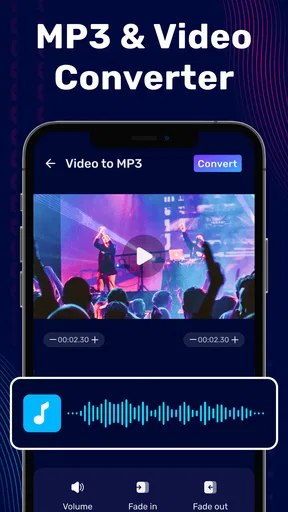
Yes, Audio Editor & Music Editor supports a wide range of audio formats, including MP3, WAV, AAC, and more. This compatibility ensures that users can import and export their audio projects without worrying about format limitations, providing flexibility for diverse audio editing needs.
Does the app offer a user-friendly interface for beginners?
Absolutely. Audio Editor & Music Editor boasts a clean and intuitive interface designed to cater to users of all skill levels. Beginners will find the easy-to-navigate layout and helpful tutorials particularly beneficial, allowing them to quickly learn and apply various editing functions without feeling overwhelmed.
Are there any in-app purchases or subscription fees?
While Audio Editor & Music Editor offers a free version with basic features, there are in-app purchases available for advanced tools and effects. Users can choose between a one-time purchase for specific features or opt for a subscription model to access all premium content, providing flexibility based on individual needs.
How does Audio Editor & Music Editor ensure audio quality is maintained during editing?
The app uses advanced algorithms to preserve audio quality during editing and exporting. Features like non-destructive editing and high-resolution output options ensure that the integrity of the original audio is maintained, allowing users to produce professional-grade audio without compromising on quality.


